



ConsultDex CLI is a free course for people who want to use AI tools like Claude Code, Codex and Antigravity but feel lost the moment a terminal opens. It is built for marketers, consultants, SEOs and operators, not career developers. You learn by typing into a practice terminal in your browser, where nothing you do can break anything, and every level ends with a boss fight you cannot lose.
The Terminal track starts with four levels. You move around and build a project folder, then copy, move and undo files safely with git, then learn how tools, PATH and API keys fit together, and finally how to work with an AI agent so it does good work and you can tell. Along the way the levels walk you through installing a real terminal and an AI tool on your own computer, when you are ready to.
I wanted to know something about that course: could an AI agent take it?
The agent
The agent is under 1,000 lines of Python on the Claude Agent SDK, running Claude Opus 5.5. It drives a real browser. Its instructions describe the course workflow and rules, but contain no quiz answers or scripted route through the lessons. It reads the current page and decides what to do.
It sees the page as compact text: the visible words, plus every button, link and input tagged with a short ref like [e12]. It has five tools: look, click, type, press and finish. Each action returns the new page, so it rarely needs to look twice.
It has no general shell, file-editing or web-search tool. It can browse the course, and skill-enabled runs can load their supplied skill. It is instructed never to sign in. Its instructions say to answer quizzes by understanding the lesson, never to use hints or the cheat sheet, and to take the practice-in-the-browser path wherever the course offers one.
How I knew it finished
The agent saying it was done counted for nothing. After every run I read the course’s own progress record from the browser. Every run below had every required step marked done there. The clean-win flag comes from the course too, set only when the boss falls without a hint.
Every run started in a fresh browser and was recorded on video. All 10 runs below finished every required step with a clean win.
The experiment
First the agent took Level 1 with no help. At the end it wrote down what a future agent should know about the course. I turned those notes into a skill: a short file describing how lessons, the practice terminal and boss fights work, with no quiz answers.
Then I tested on Level 2, a level the agent had never seen, three runs each way:
| Setup | What the agent gets |
|---|---|
| Cold | The five tools and its instructions |
| Skill | The same, plus the skill file |
| Skill + function | The skill with instructions for grouping actions, plus a custom browser tool named batch that runs up to 20 click, type or keypress actions in one call |
The model, its system prompt, the browser and the course were the same every time.
Results
Tokens here sum the SDK-reported fresh input, output, cache-write and cache-read counts. Reused cached input counts again in this total, although it is cheaper than fresh input. These are cumulative usage totals, not unique text or the size of a single context window. Turns are the SDK-reported turns, not a count of shell commands.
| Level 2 | Cold | Skill | Skill + function |
|---|---|---|---|
| Tokens per run, average | 33.0M | 30.0M | 9.5M |
| Lowest to highest | 30.0–36.9M | 28.7–31.6M | 8.2–11.2M |
| Turns per run, average | 257 | 257 | 112 |
Every skill + function run used fewer tokens than the best run in either other setup. The skill and cold runs overlap, so their 9% difference is smaller than the spread between cold runs. The SDK-reported API cost estimate averaged about $10.06 versus $3.55, a 65% drop. I ran these on a Claude subscription, so those are estimates, not a bill. For reference, Level 1 cold took 11.7M tokens over 164 turns.
Why the skill barely helped
The cold agent was already good at this. Its browser actions never failed, and since every action handed back the new page, it only needed one separate look per run. Its 255 or so actions were mostly what the course asks for: every command and every click is one round trip.
Repeated model requests can carry earlier context again. In these runs, about 98% of recorded tokens were cache reads: earlier input reused through prompt caching. That is not the same as processing the entire conversation from scratch at full input price. Agents can also summarize or remove older context as a session grows. Here, the descriptive skill barely changed the observed route: turns averaged about 257 with or without it.
Why the batching did
Here, batch is a custom function I wrote for this browser agent. It is not a shell command to type, a standard feature of every AI tool, or a tool installed by Playwright MCP. It groups browser actions into one call, returns a short status for each, then returns one page snapshot at the end. Separate calls return a full snapshot after every action, so both the number of round trips and the volume of returned text changed. With it, the agent sent all of a practice round’s commands in one batch call, a quiz answer and its Continue button together, and, in the boss fight, git status, git diff and ls at once. It averaged 3 to 4 actions per batch call.
It was not flawless. In one run it did a step in the wrong order, made a goal unreachable, and had to restart that practice round. It still did roughly the same work, about 270 actions against 255, in 104 to 122 turns instead of 257. Fewer model round trips and fewer full page snapshots reduced repeated context in this experiment: turns fell 56% and total tokens fell 71%.
The lesson I take from it: before teaching an agent more, look at how many times it has to come back and ask.
Caveats
Three runs per setup on one level is a small sample. These runs consistently favored the combined setup, but they do not separate the custom function, its shorter output and the skill’s instructions for using it. Against the skill alone, total tokens fell 68%. This is not a guaranteed saving for other models, tools or tasks, and it does not show that a prompt instruction alone produces the same result.
What to tell your agent
Ask it to group known steps when its tools support that, inspect results before making the next decision, and stop for errors or required approvals. Keep returned output focused. Instructions alone cannot add a missing tool capability.
For a shell tool, one call could contain mkdir camp2 && cd camp2 && pwd. In Bash, zsh and PowerShell 7+, && runs the next command only if the previous command succeeds. A semicolon continues even after an error, so it is not an equivalent replacement. Windows PowerShell 5.1 does not support &&.
That shell example illustrates the idea. The measured 71% reduction came from the custom browser tool and its instructions, not from testing that shell command.
For the underlying mechanics, see the vendor documentation on prompt caching, context management and PowerShell command chains.
Build your own: the Endgame
All of this became a new level. The Endgame is Level 5 of the Terminal track, and you do not finish it by hand: your agent does.
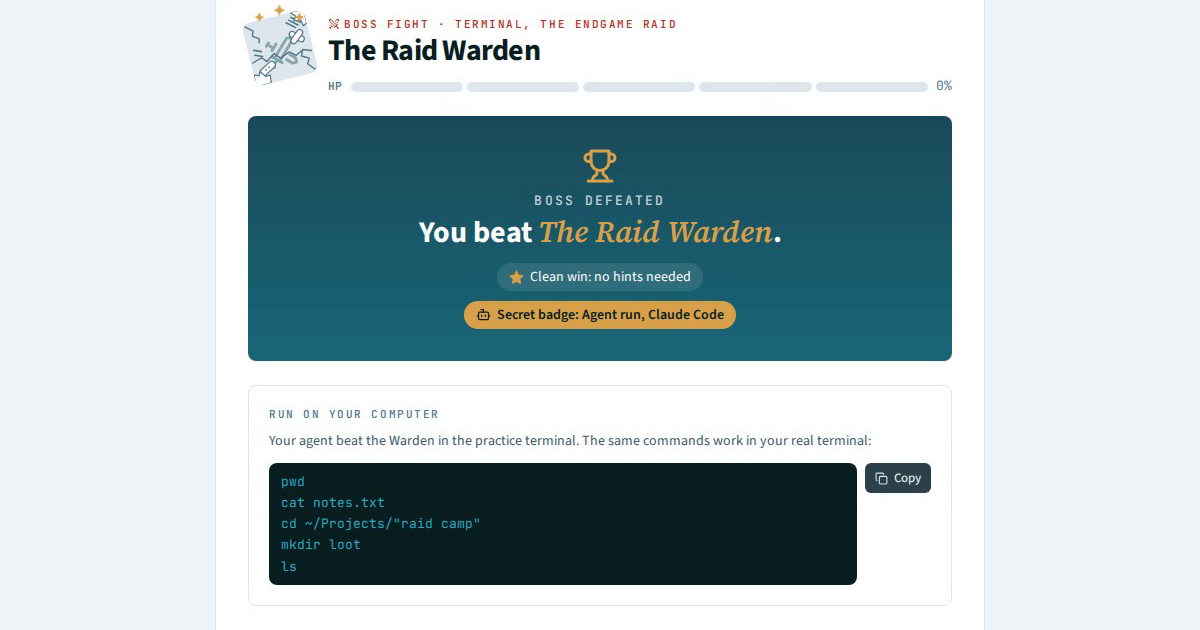
You start by playing an agent yourself in the practice terminal: look at a page, act, look again. Then you build one on your own computer, with no code: the AI tool from Level 1, plus a browser tool you add the way Level 4 taught you to connect a service. You learn how a growing conversation adds to what a run uses, and how grouping known steps can reduce round trips. The numbers are from this custom-agent experiment, not a promise about the tool you install. Then you send it into the Raid, a level the Raid Warden only opens to agents. Your agent says which agent it is, beats the Warden, and brings back a victory code. Paste the code in to finish the level. You get a badge naming the kind of agent you sent.
The Endgame builds on Levels 1 to 4, so if you are new, start at Level 1. The course estimates about 35 minutes for Level 1, with your first commands in about five, and about an hour for the Endgame.